
Magento 2 Admin Action Log
Categories
Magento
WordPress
SAP Commerce
Odoo
Shopify
Typo3
Shopware
nopCommerce
Pimcore
Hyvä
OXID eShop































































1. Product specification
The Admin Action Logs displays a detailed record of all admin actions that are enabled for logging. Each record is time stamped and records the IP address and name of the user. The log detail includes admin user data and related changes that were made during the action.
This extension records actions performed in the Magento admin panel when logging is enabled. It is intended for stores where multiple admin users access the backend and make configuration or data changes. Each entry in the log helps identify who performed an action and from where it was done.
The log data includes basic user information along with the time the action occurred. IP address tracking is included to help trace access when required. Changes made during an action are stored as part of the log entry, allowing admins to review what was modified during that session.
The Magento 2 Admin Action Log can be used when reviewing unexpected changes or verifying recent updates in the admin area. It can also support routine checks when multiple users share admin responsibilities. The log does not require manual input and is generated automatically based on enabled actions.
Admins can review the stored records directly from the backend when needed. This helps reduce guesswork when tracking changes or confirming who made specific updates. The extension focuses only on admin-side activity and does not affect storefront behavior.
Overall, the Magento 2 Admin Action Log provides a simple record of backend actions and supports better visibility into admin activity without adding complexity to daily operations.
This extension is useful in day-to-day admin management where tracking changes matters. It helps keep a basic history of backend activity available for reference without adding extra steps for admin users.
2. Features
- Enable/Disable Extension.
- Enable/Disable Page visit history.
- Enable/Disable Login Log.
- Track automatically all logged actions.
- Keep log details for a predefined time period.
- Access control for admin users.
3. Configuration
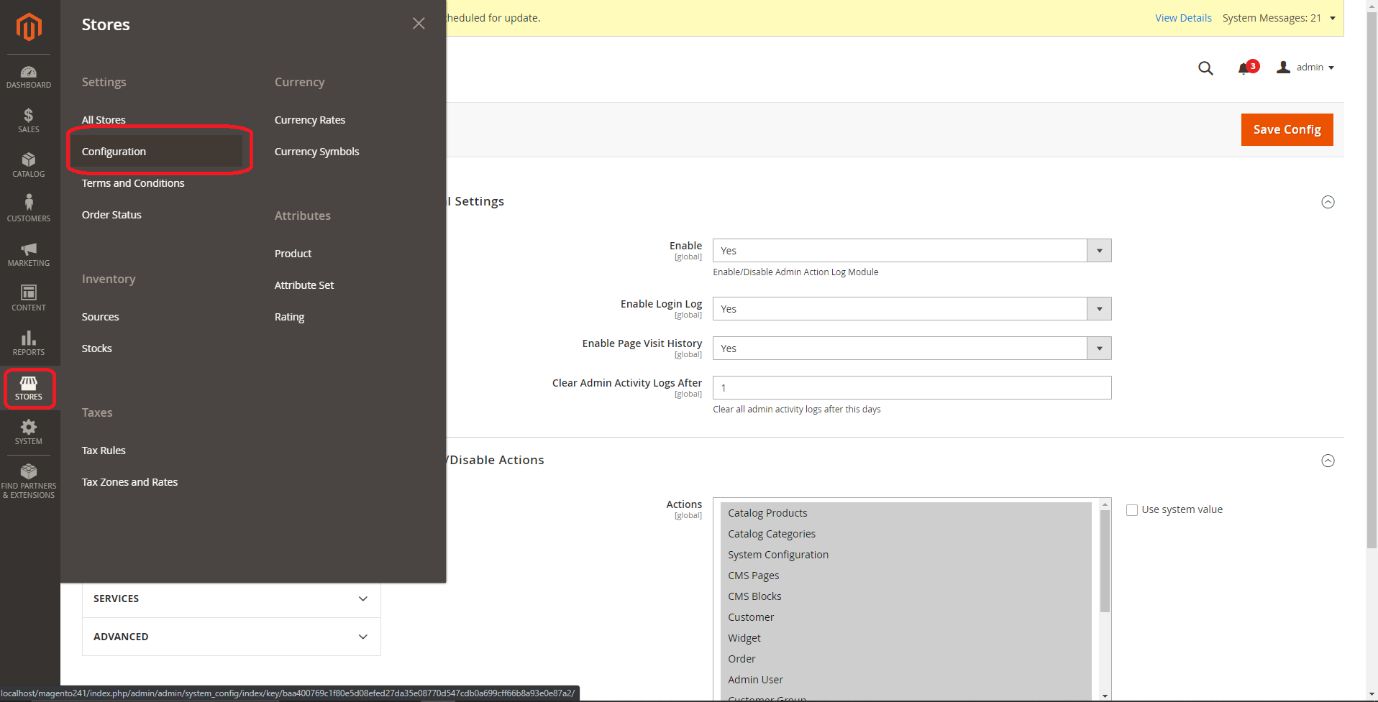
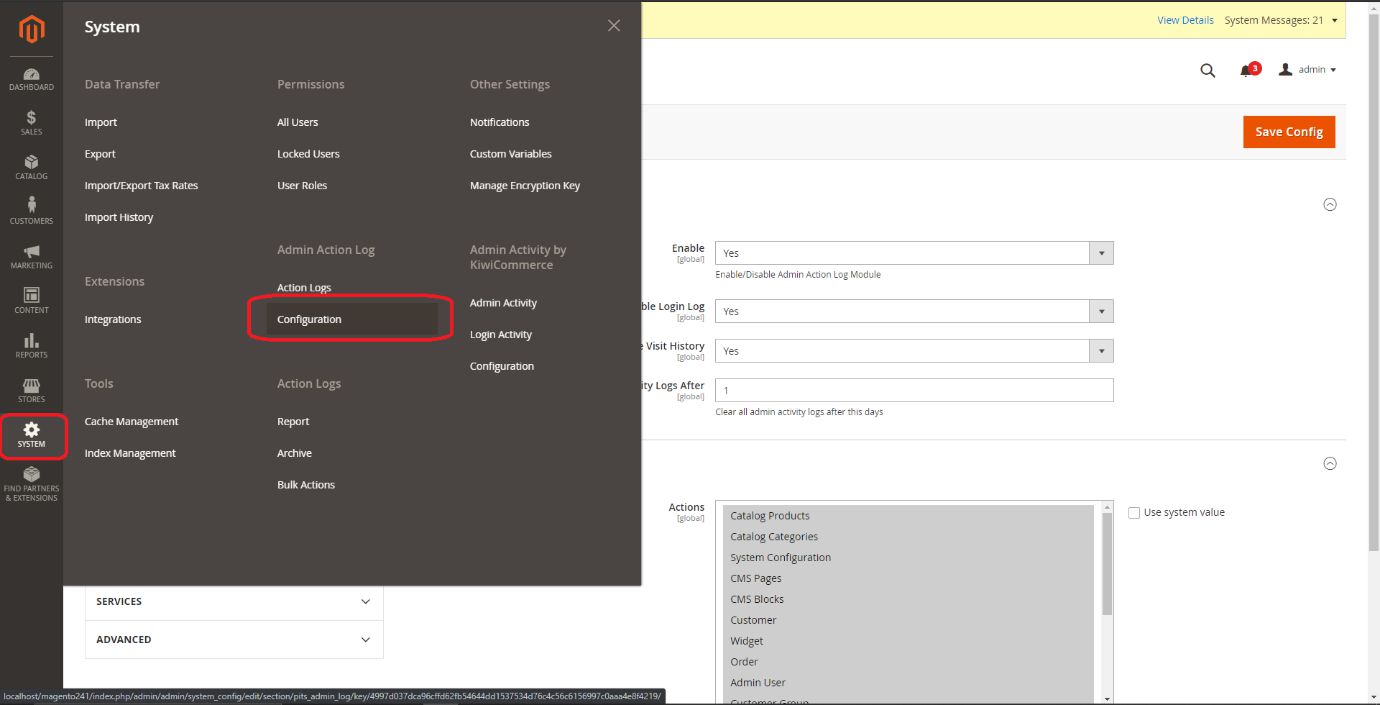
From the admin backend, go to Stores > Configuration>PITS Configuration > AdminActionLog or System > AdminActionLog > Configuration >
3.1 Configure Admin Action Log
3.1.1 General Settings
- Select Yes from dropdown options in the Enable field to enable module.
- Select Yes from dropdown options in the Enable Login Log field to enable logging of login actions.
- Select Yes from dropdown options in the Enable Page Visit History field to enable logging of page view actions.
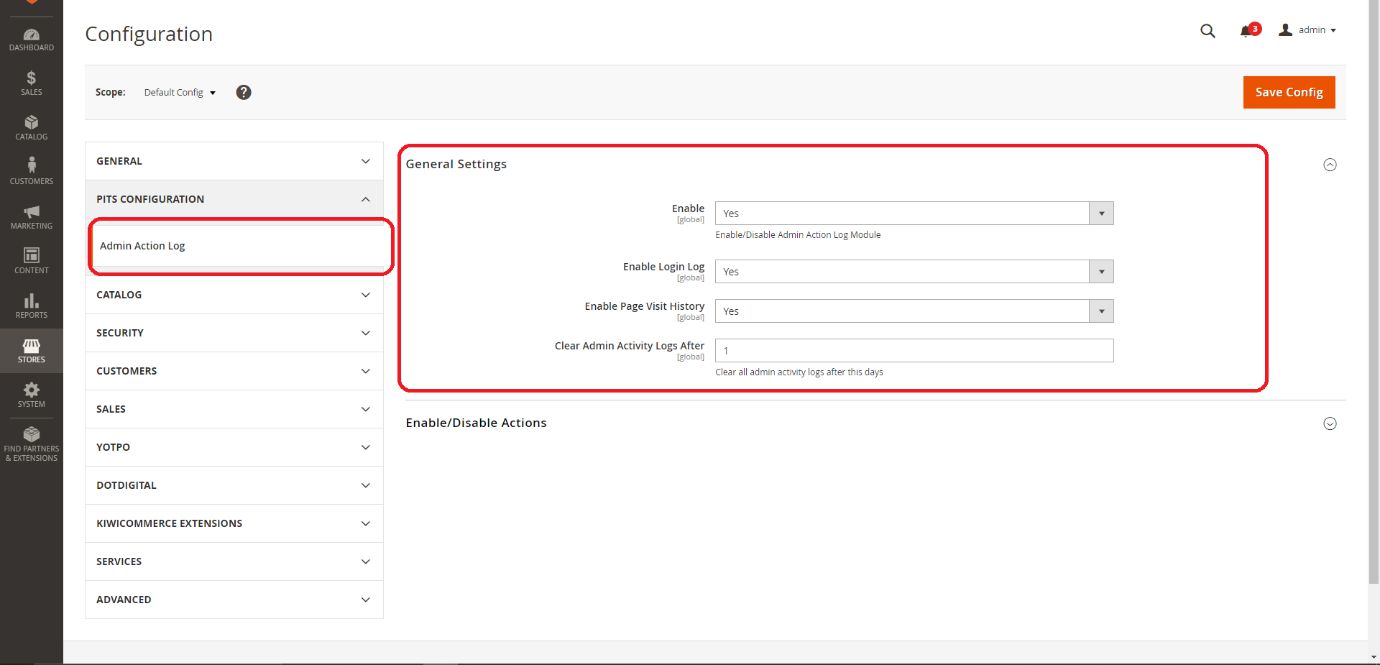
- Enter the number of days in the Clear Admin Activity Logs After field to clear the logs.
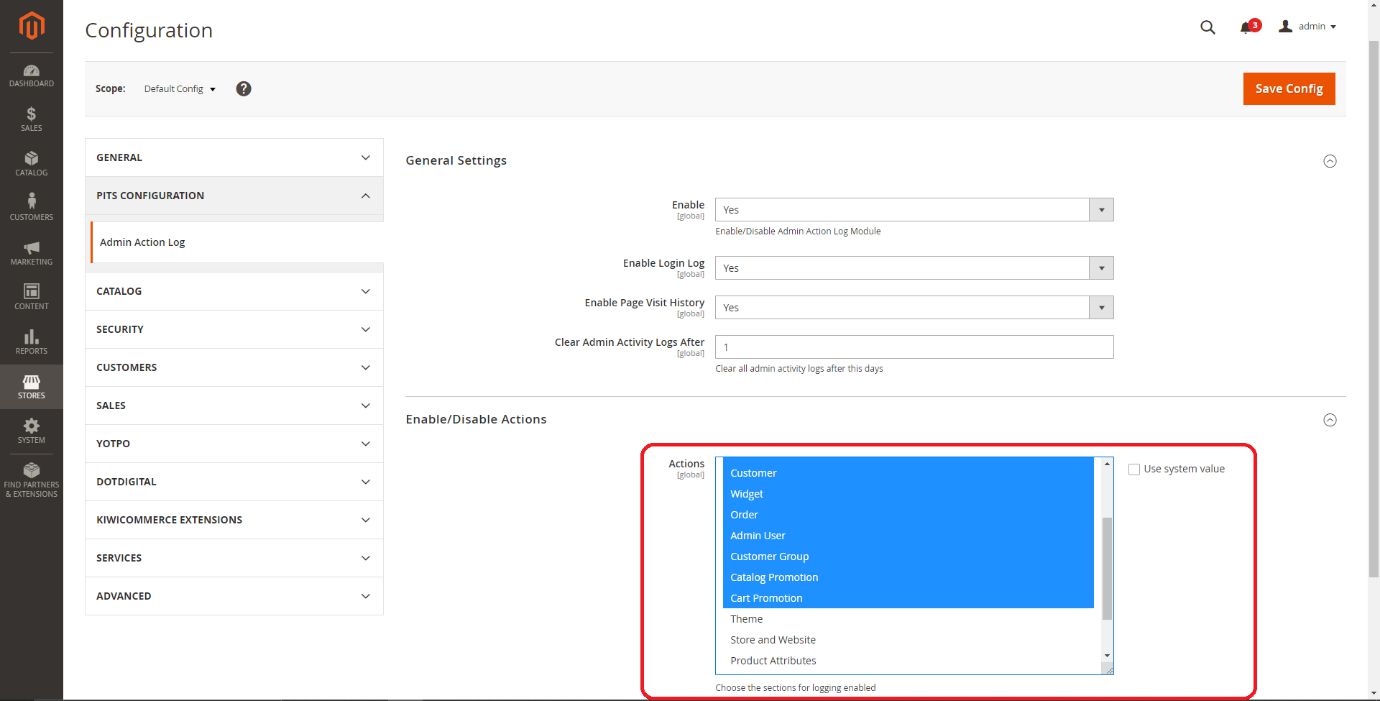
3.1.2 Enable/Disable Actions
- Select the sections from dropdown options in the Actions field to enable the logging of respective actions.
3.1.3 Manage User Role
- Go to Admin > System > User Roles
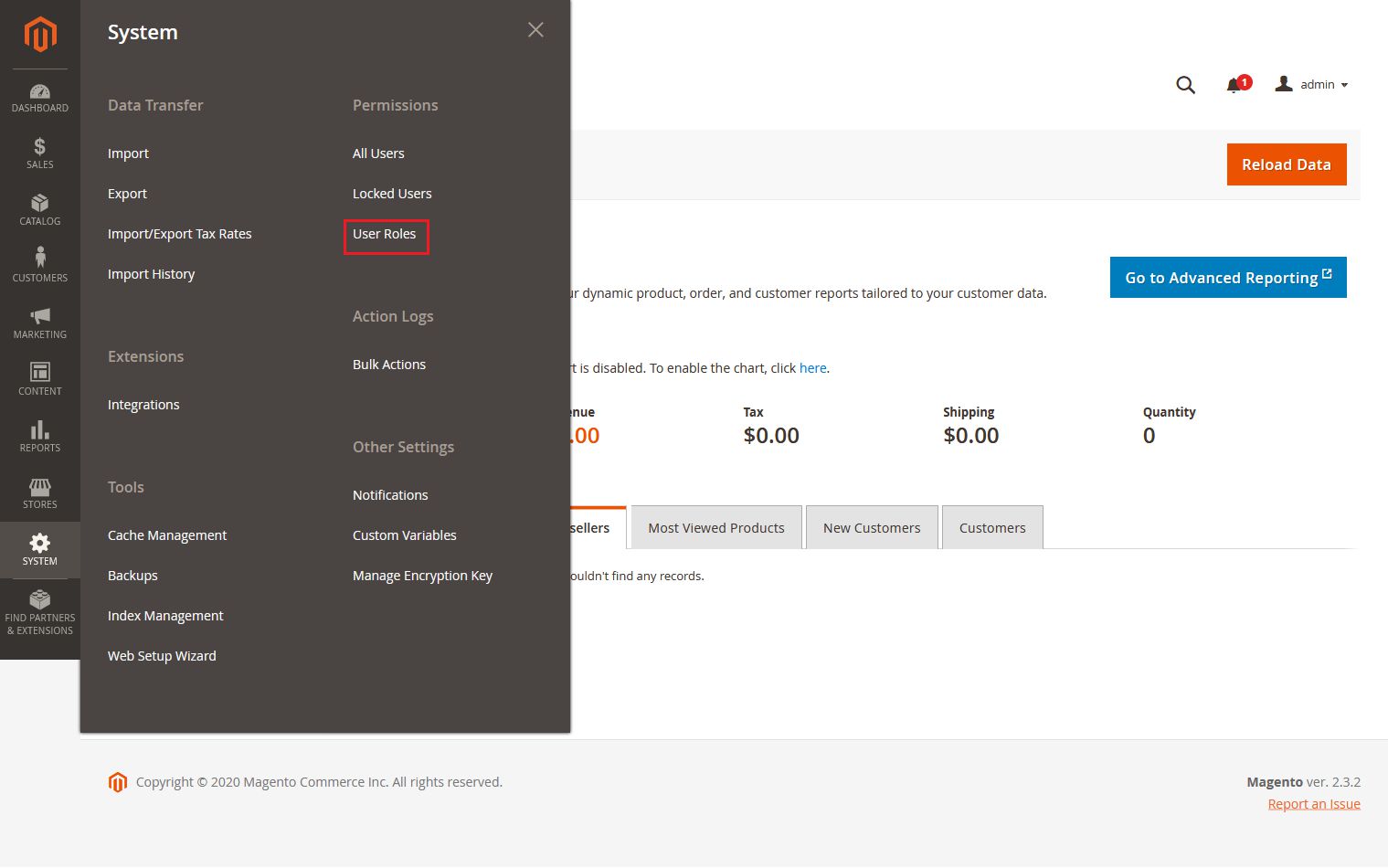
- Add a new role resource.
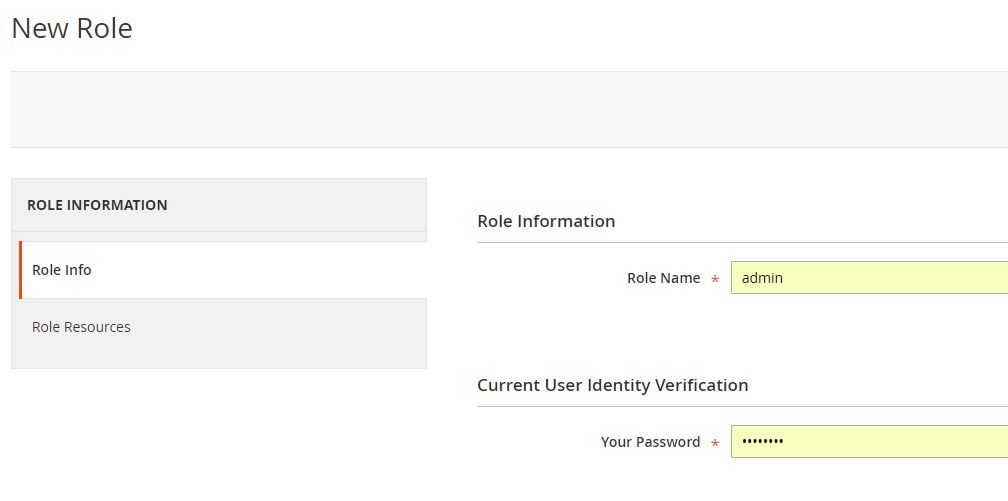
Fill in the role information section.
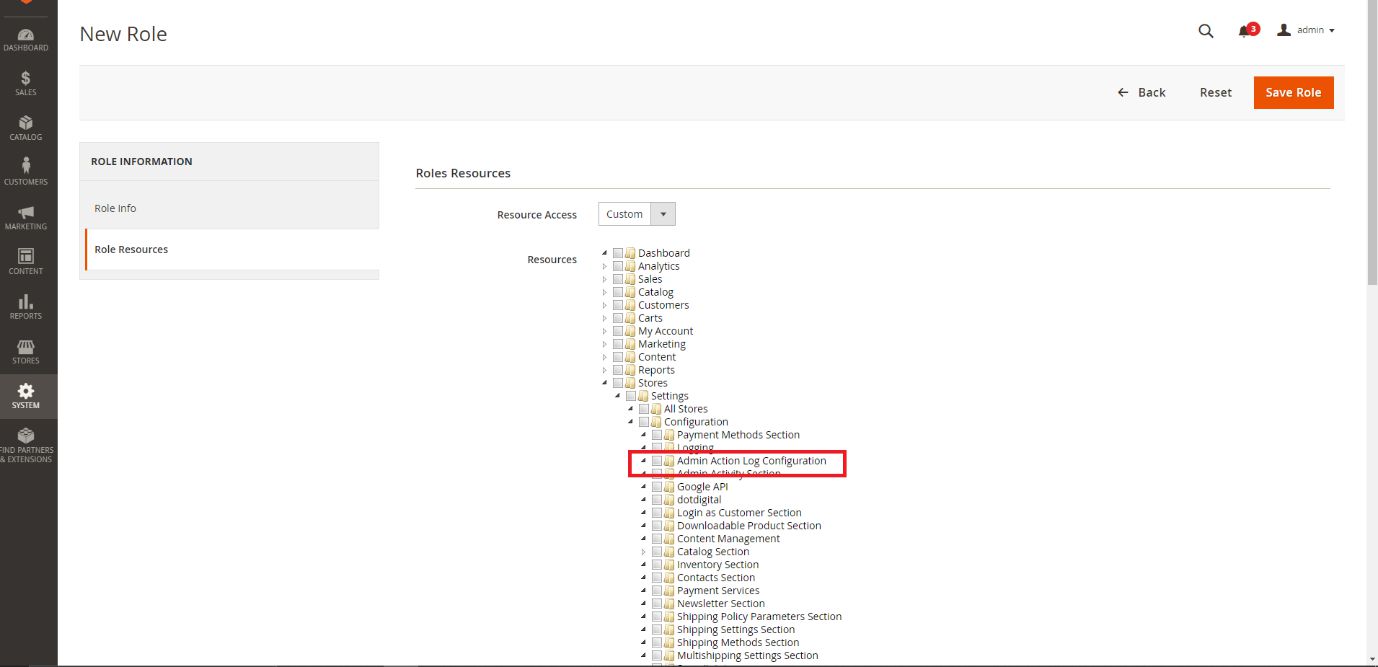
Select Admin Action Log Configuration & Admin Action Log at Role Resources section.
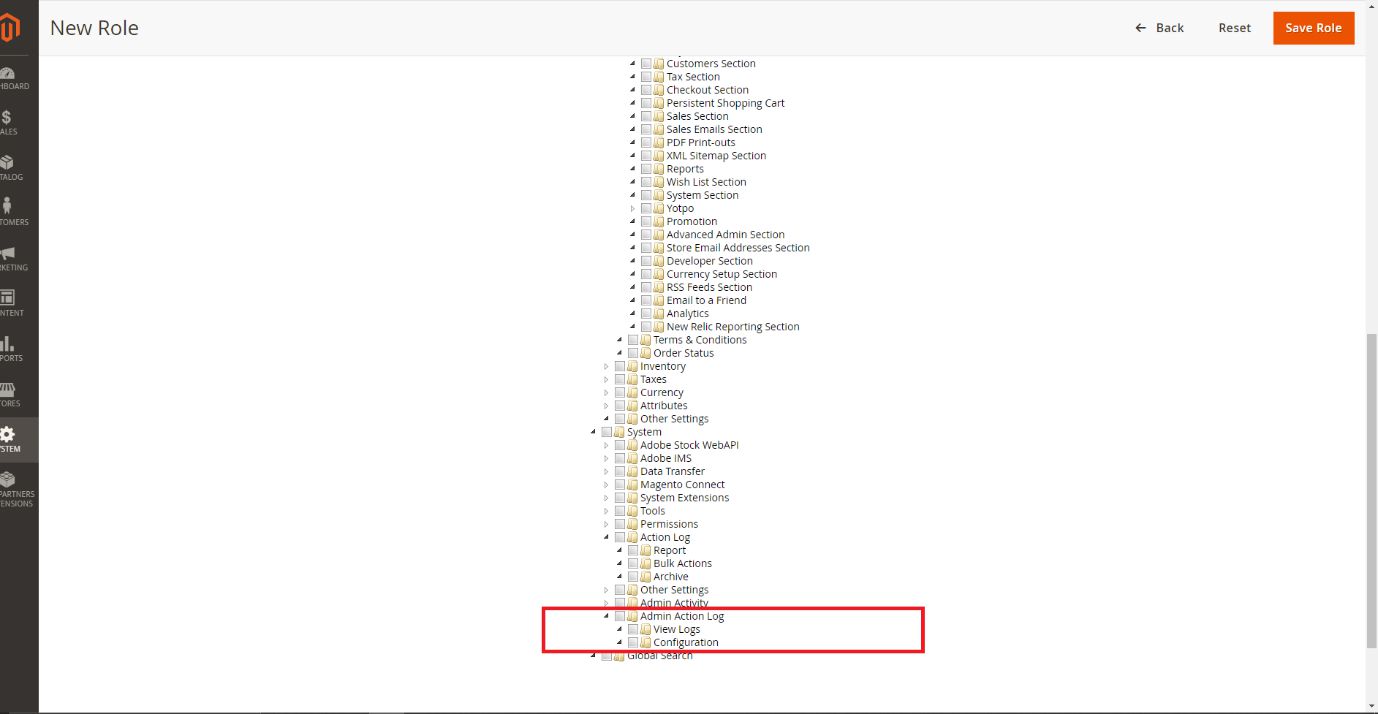
- Set role users for admin accounts, then click on Save Role to finish.
4. Admin Action Log
This extension records (logs) every change made by an admin who works in your store. This allows you to track all the changes made to your store. Tracking these changes, along with setting admin permissions for a user, can help to secure your store from unwanted changes.
4.1 Action Logs Grid
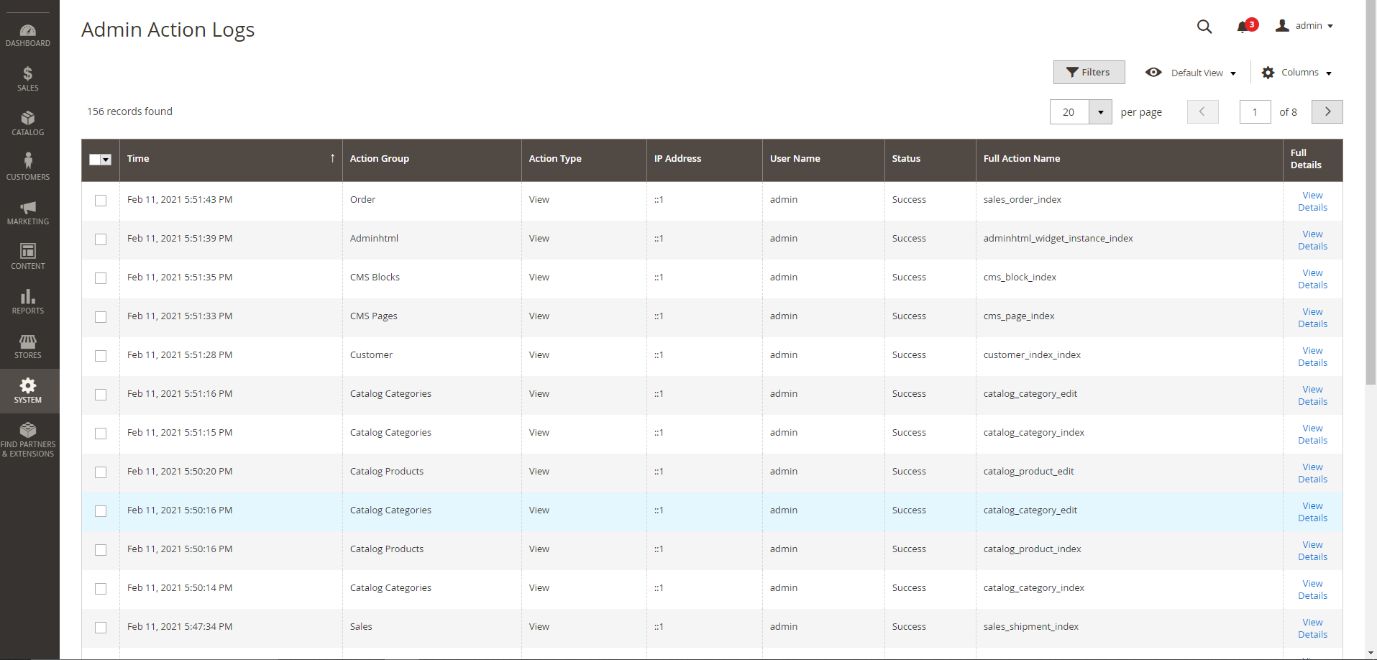
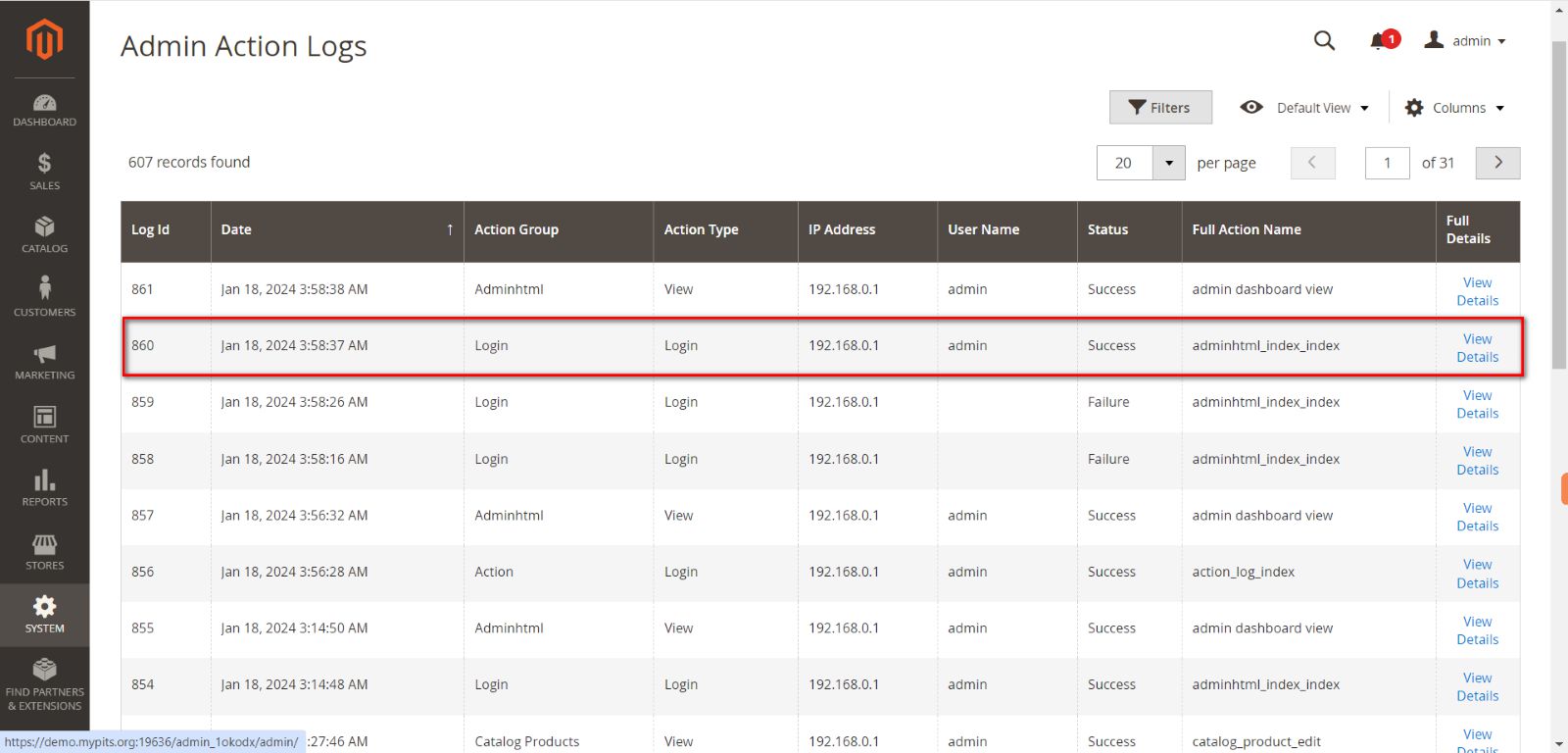
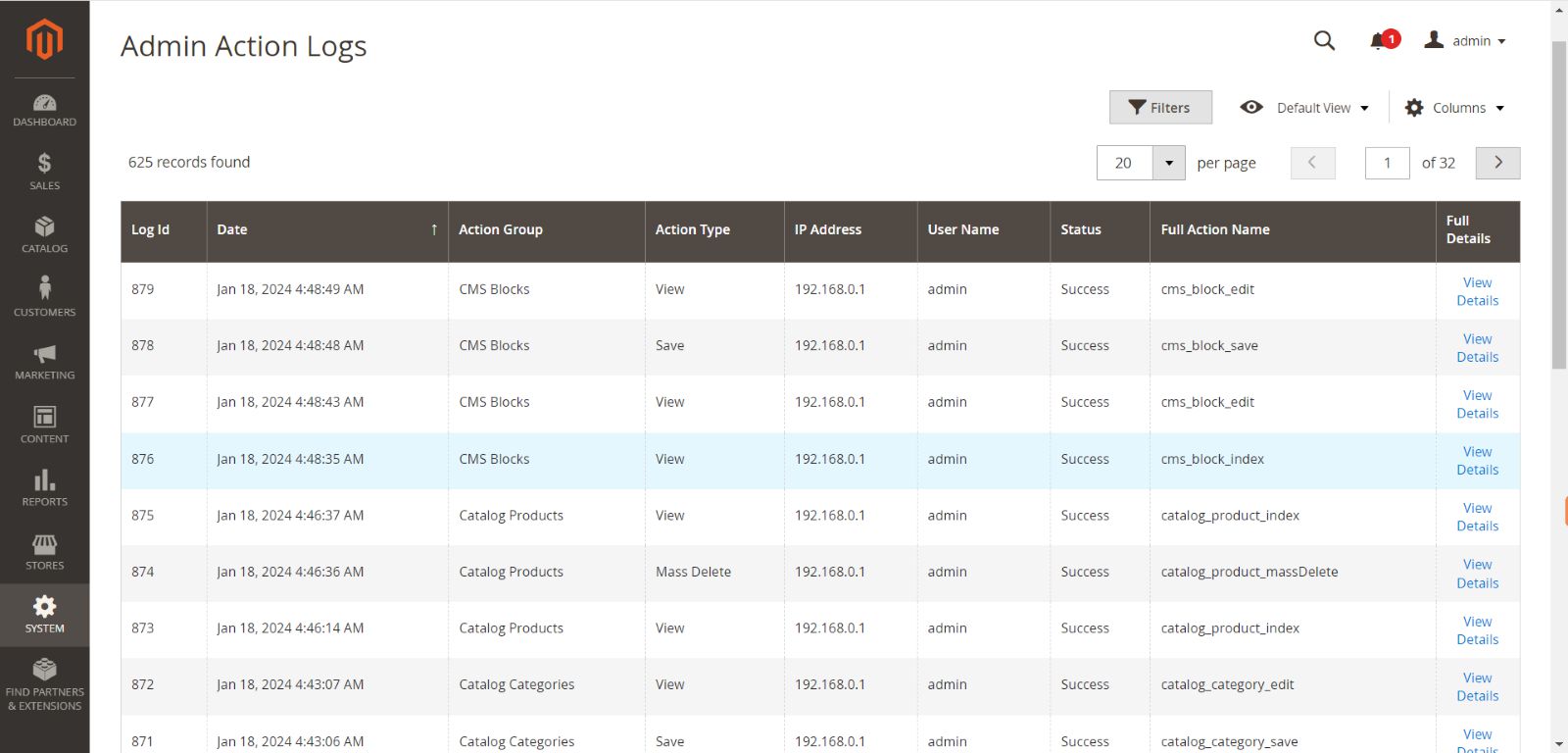
- Date: The Date and Time when action is performed.
- Action Group: The Action Group which action belongs to.
- Action Type: The type of the action (eg: View/Save/Delete).
- IP Address: The IP address of the corresponding admin user.
- User Name: The user name of the admin.
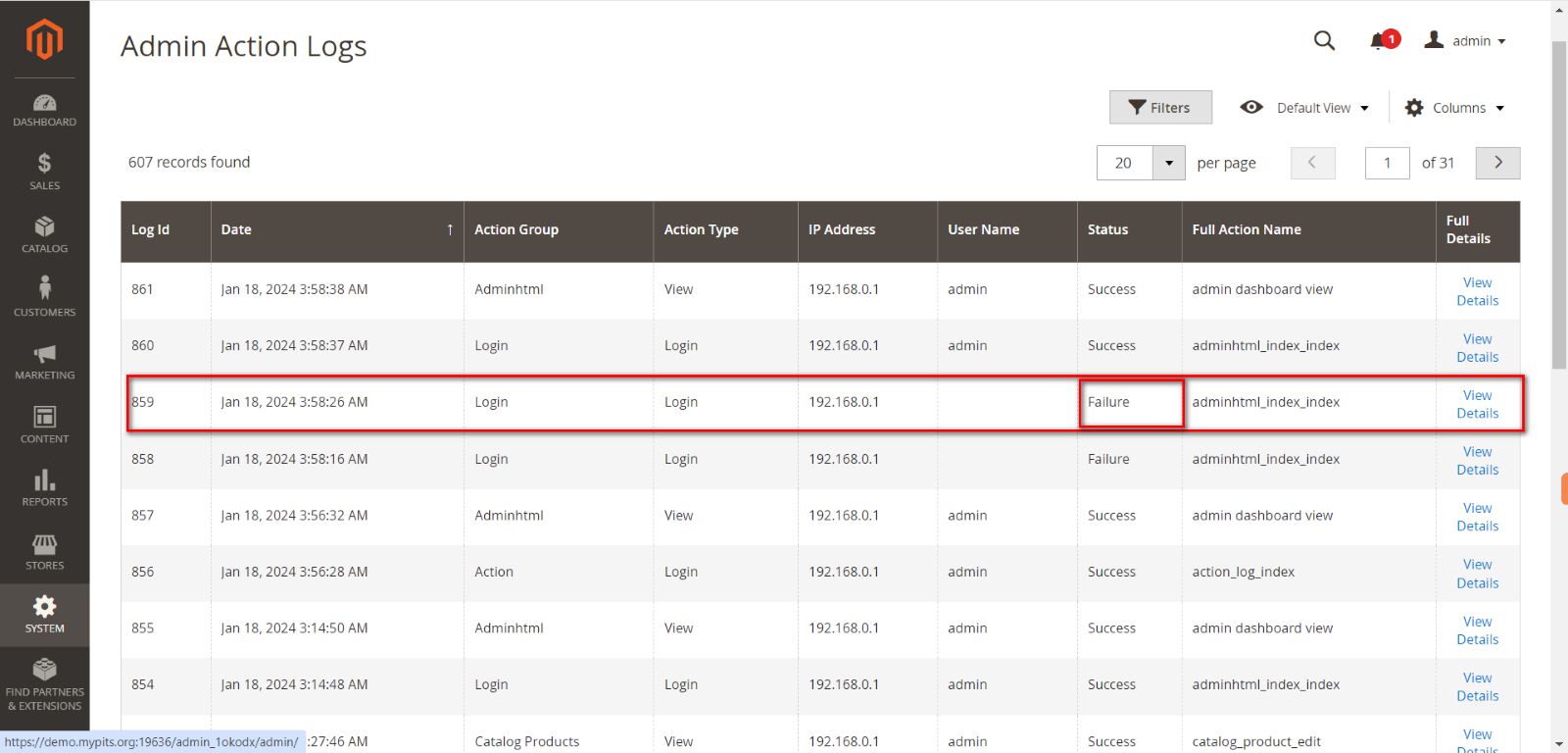
- Status: The status of the action (Success/Failure).
- Full Action Name: The full action name.
- Full Details: Click on the ‘View Details’ link to go to the details page
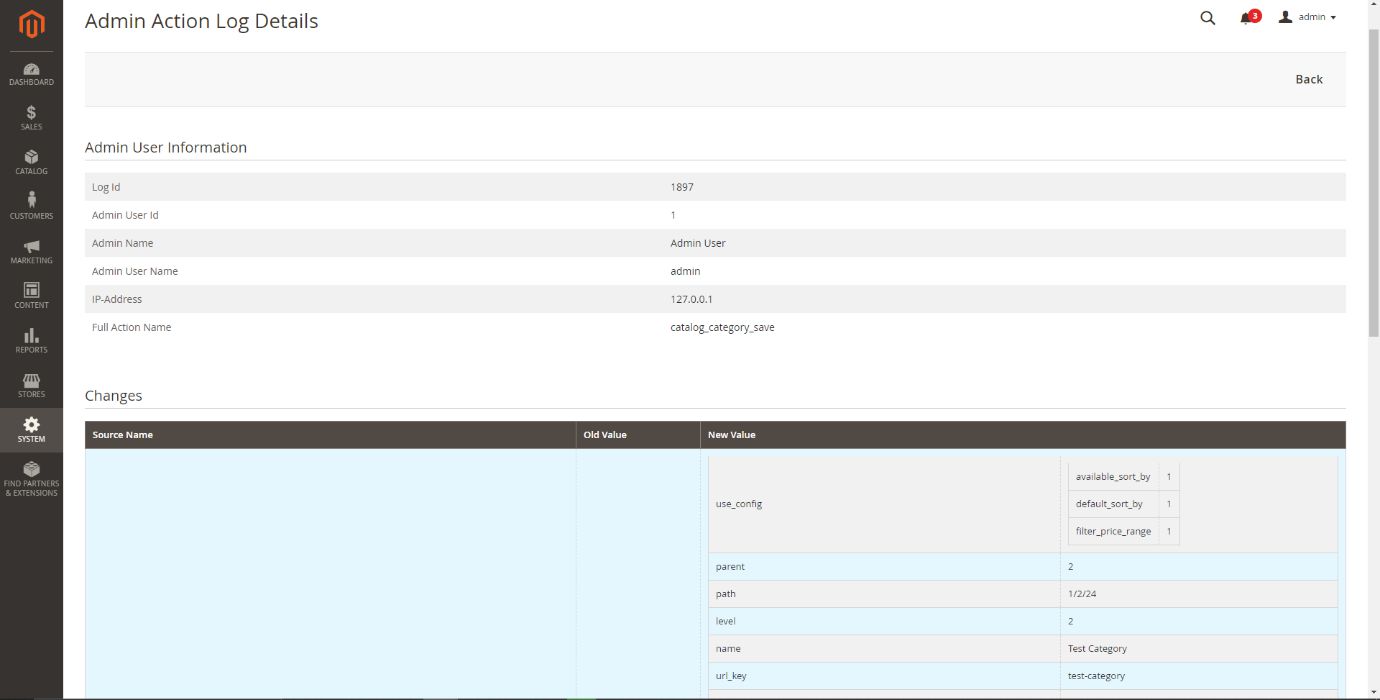
4.2 Action Log Details Page
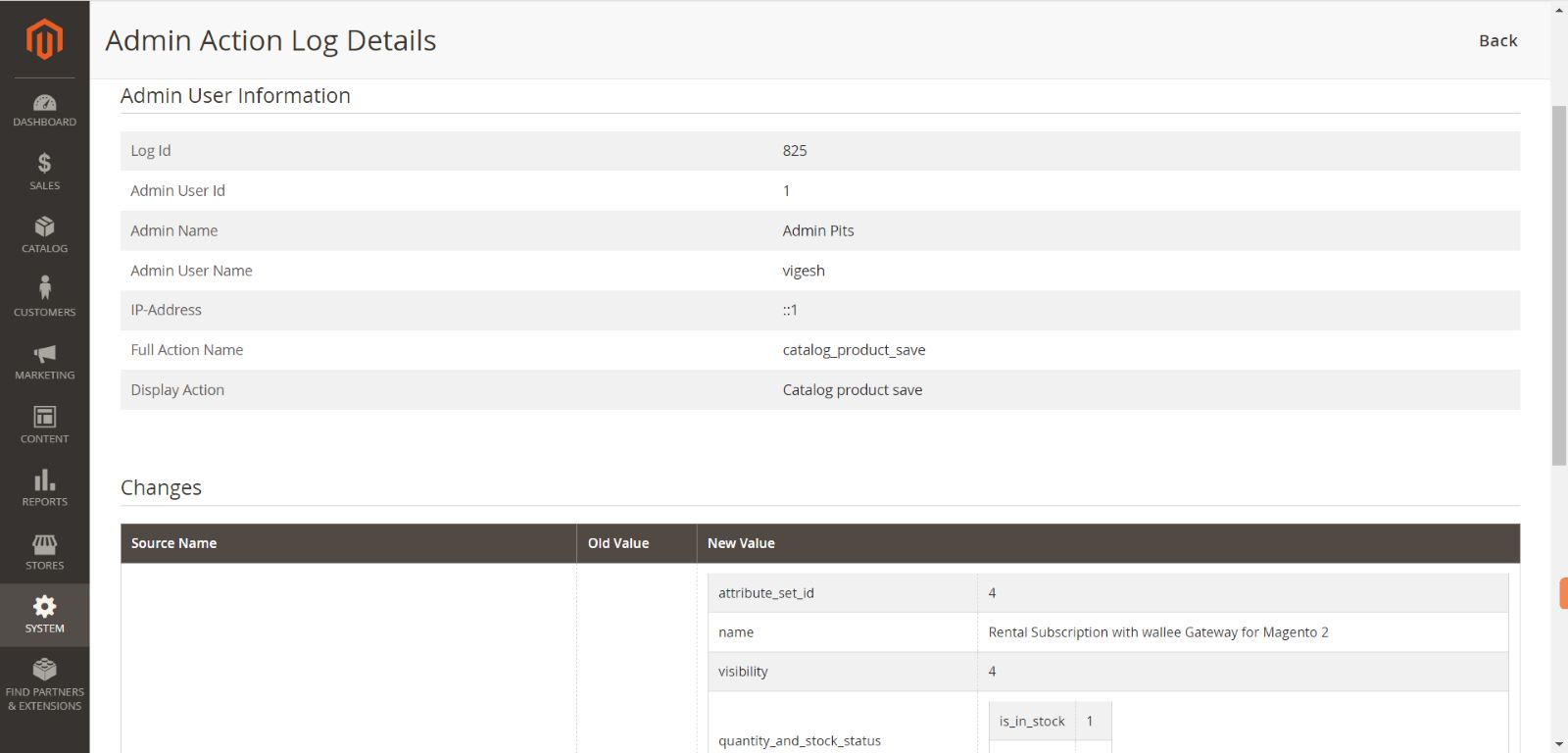
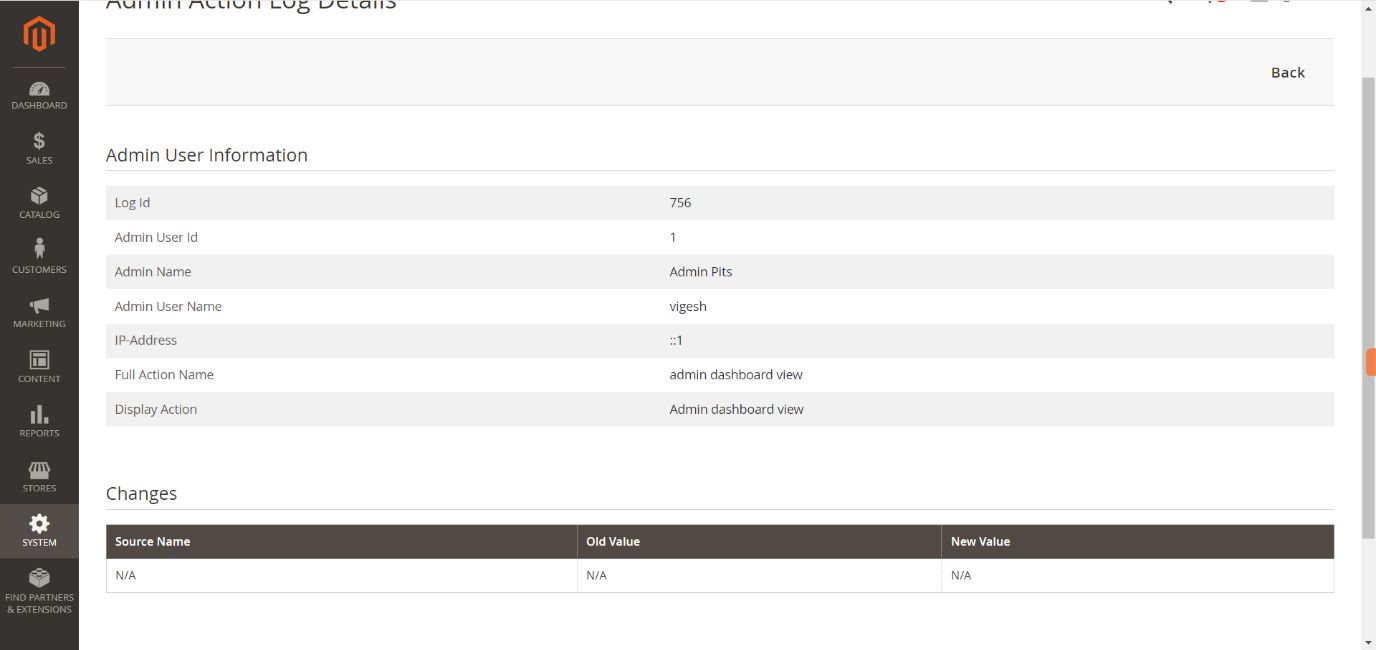
- Log Id: The Log Id.
- Admin User Id: The User Id of admin user.
- Admin Name: The full name of admin user.
- Admin User Name: The user name of admin user.
- IP-Address: The IP address of the corresponding admin user.
- Full Action Name: The full action name.
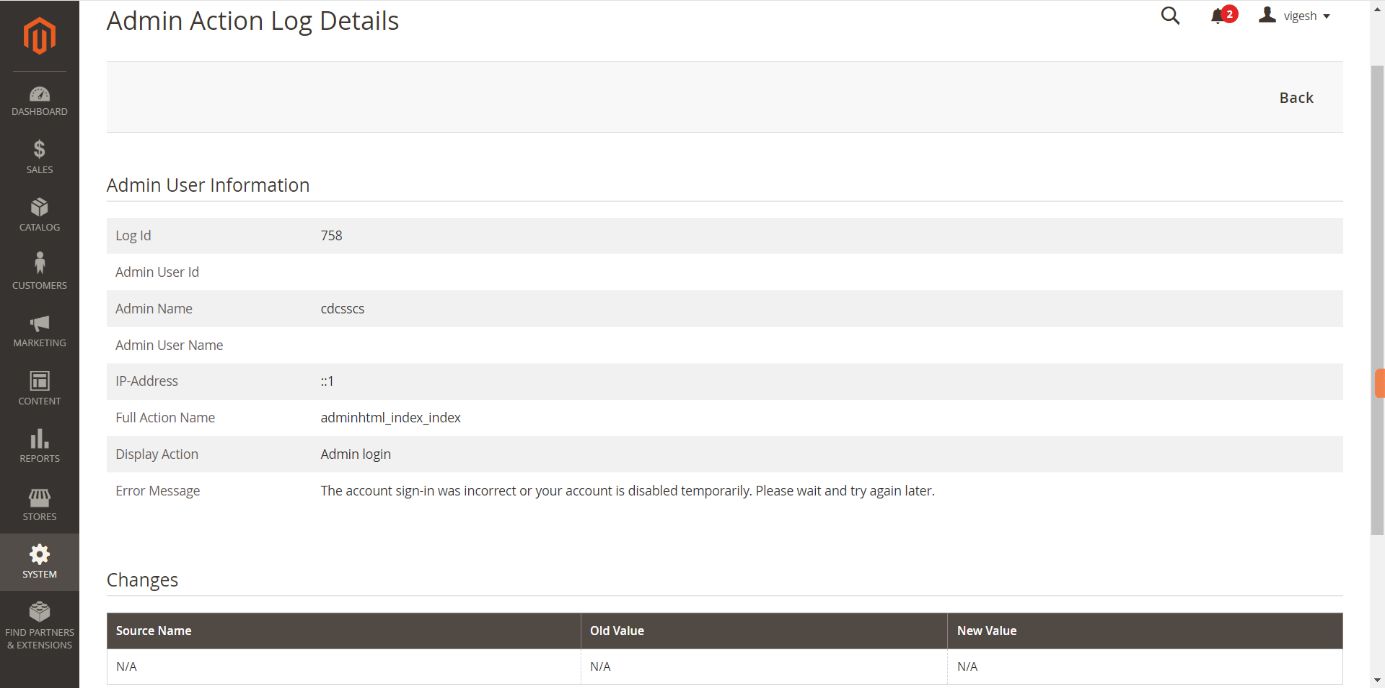
- Error Message: The error message if action result is failure. This field only display if there an error.
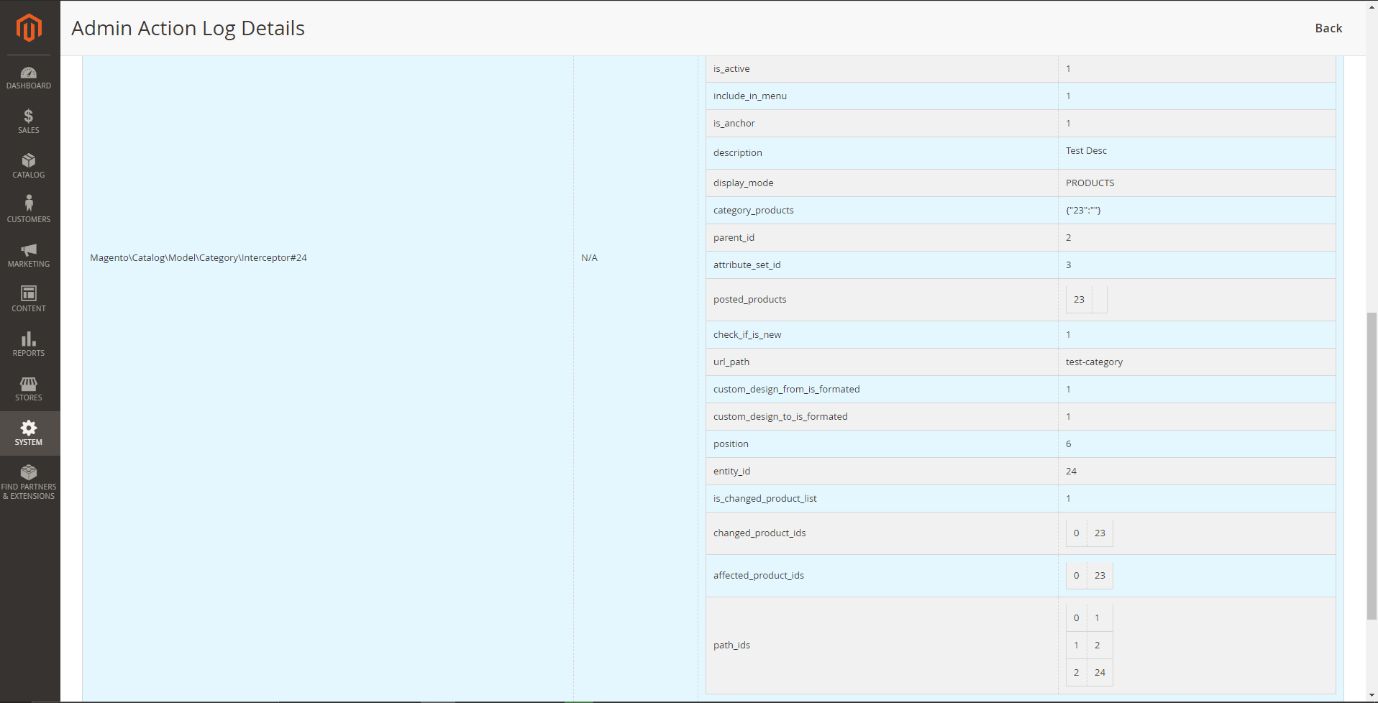
- Source Name: Shows the changed object and its id.
- Old Value: Show the values before change.
- New Value: Show the values after change.
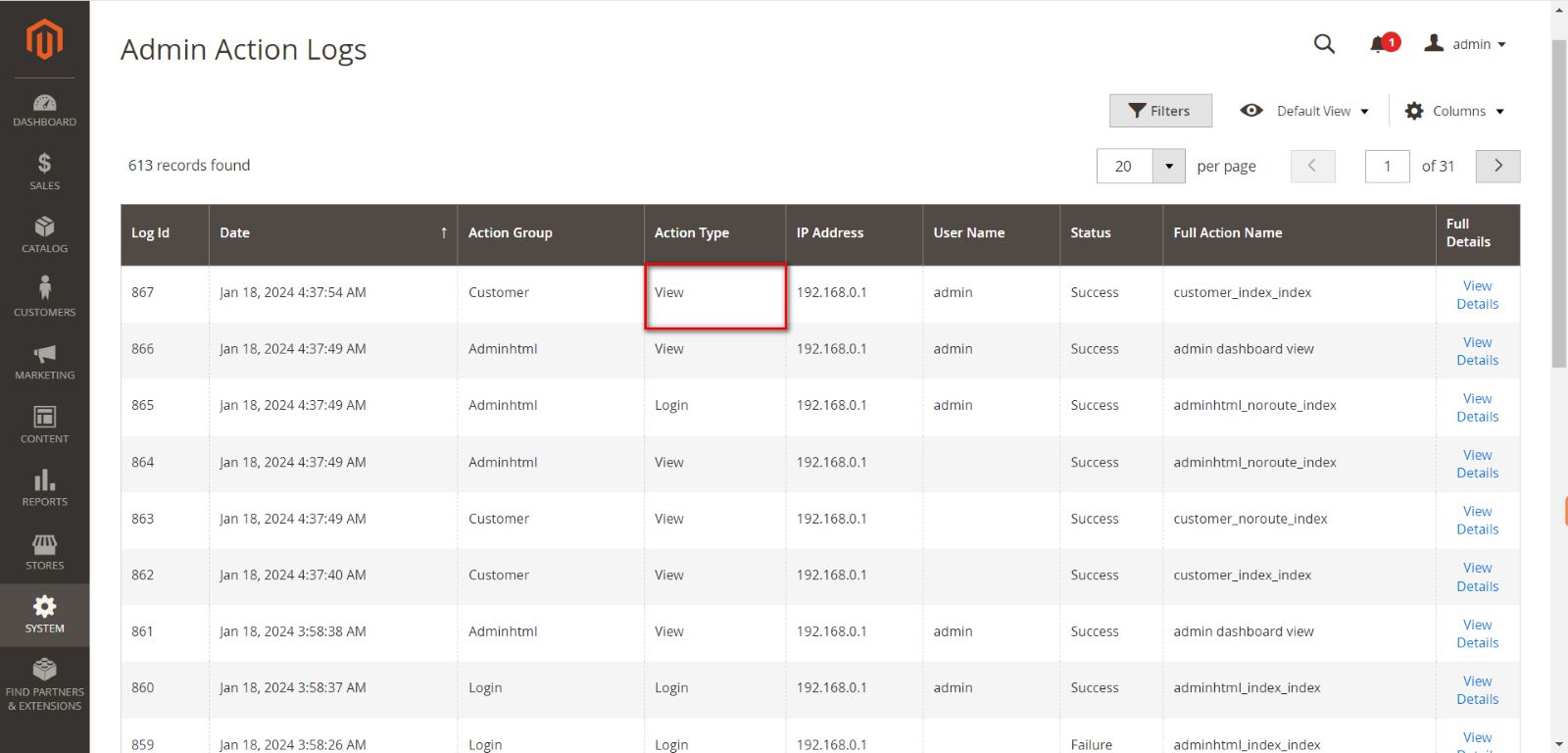
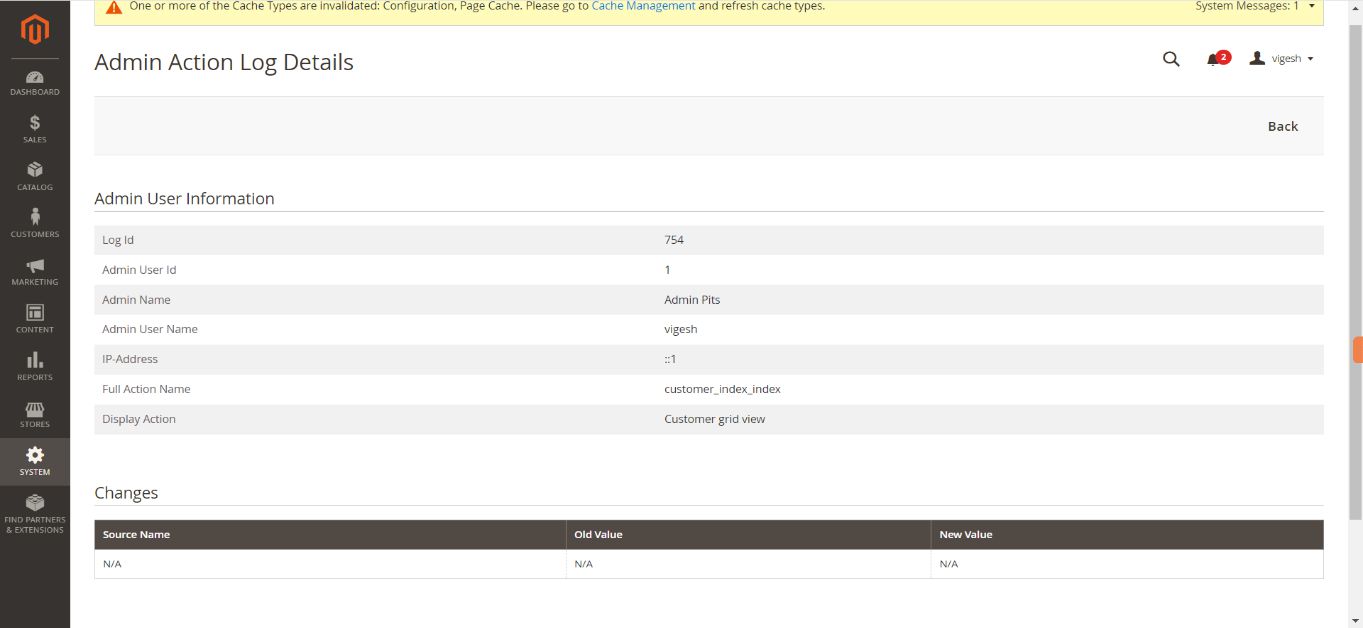
4.3 Page Visit History Logs
4.4 Login Action Logs
- Login Suceess
- Login failed
4.5 Object Create Logs
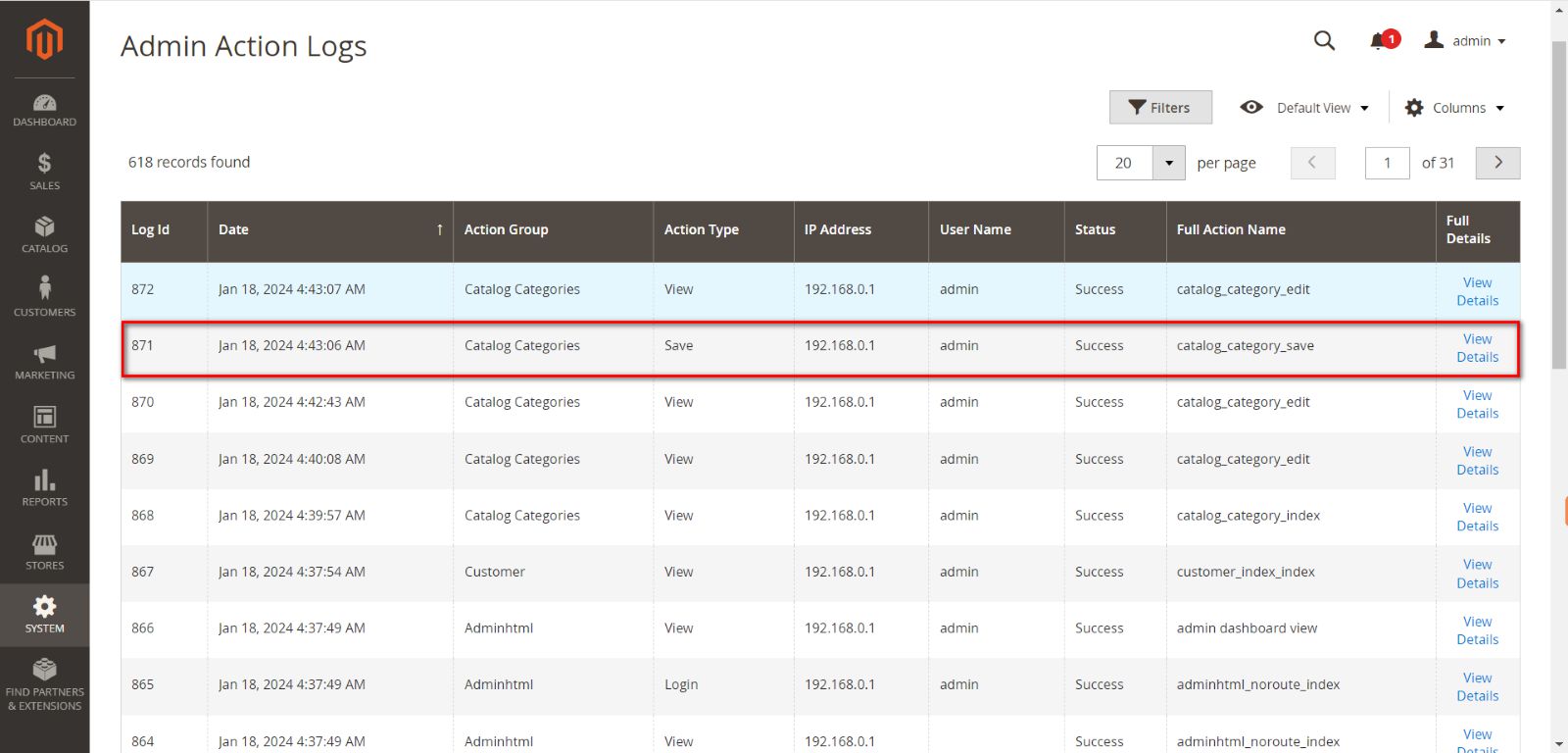
Example of Creating a new category.
4.6 Object Delete Logs
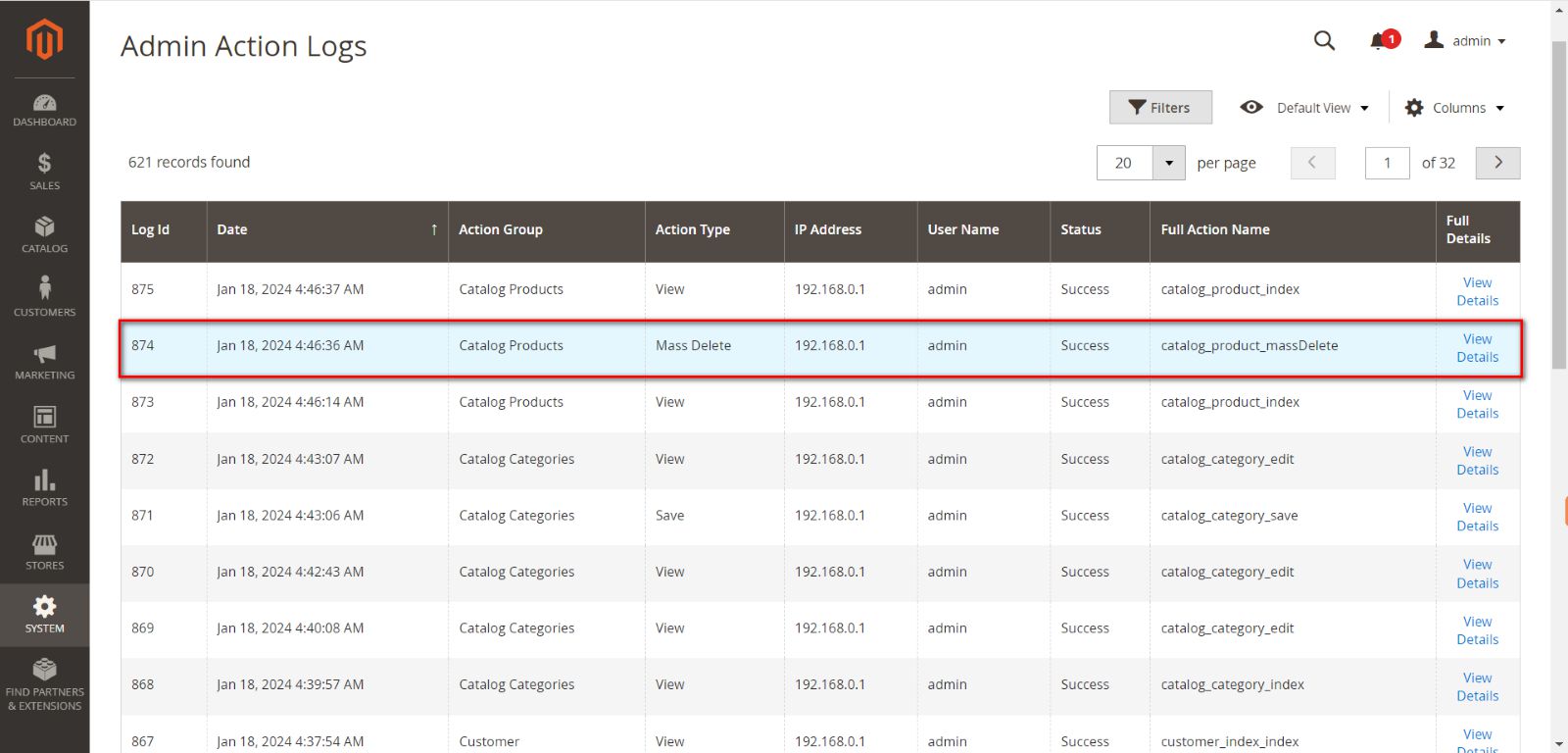
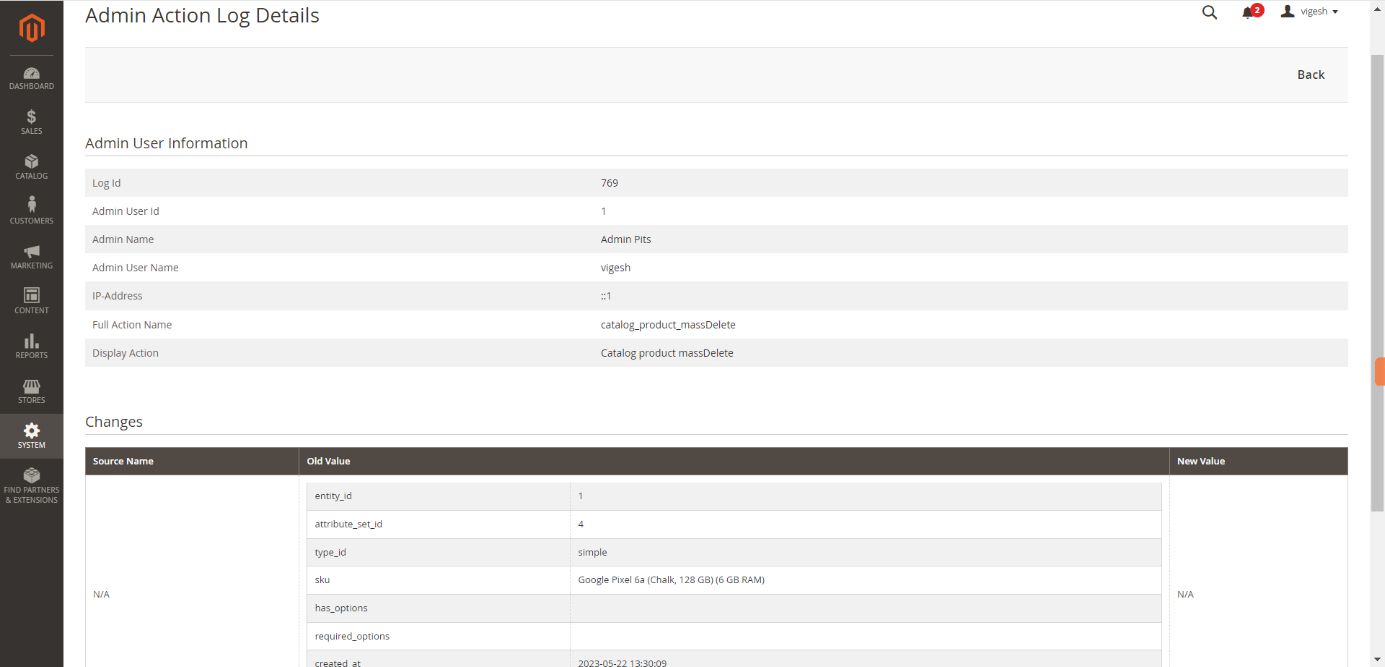
Example of Deleting a product.
4.7 Existing Object Change Logs
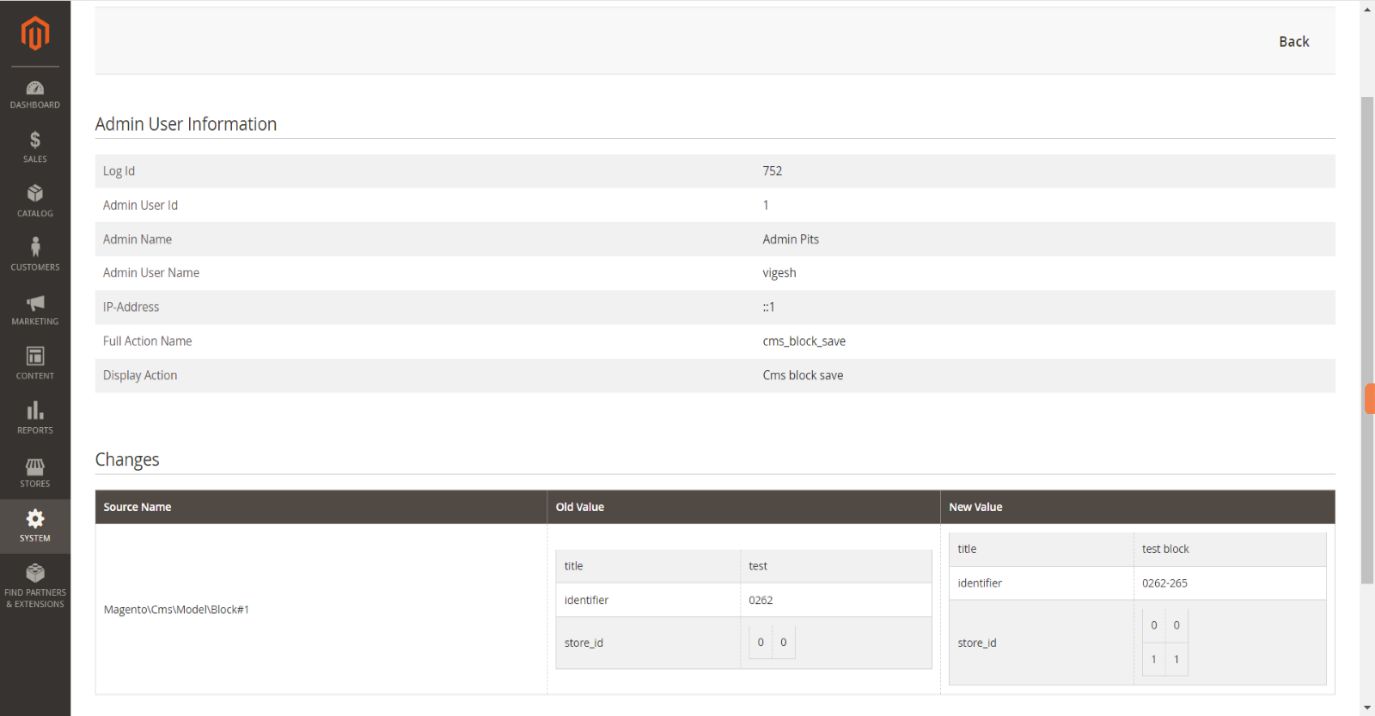
Example of modifying a cms block.
4.8 Logging Supported Areas
Currently We have added most frequently used areas for logging. We will add more areas with some extra features in the future versions.
Logging Supported Areas
- Catalog Products
- Catalog Categories
- System Configuration
- CMS Pages
- CMS Blocks
- Customer
- Widget
- Order
- Admin User
- Customer Group
- Catalog Promotion
- Cart Promotion
- Theme
- Store and Website
- Product Attributes
- Product Attributes Set
- Tax Rules
- Tax Rate
5. Supported Languages
English, German and French.
6. Pre-requisites
Magento Open Source (CE) 2.4.x.
7. Installation
If downloading as zip, to install the module follow the steps below:
- Download the module/extension and unzip it.
- Access your web server directories and upload the content of the folder into app/code/Pits/ AdminActionLog / directory.
- Run the following commands to complete the installation.
- Enable the module - php bin/magento module:enable
- Update of the database - php bin/magento setup:upgrade
- Generate and pre-compile classes - php bin/magento setup:di:compile
- Deploy static files - php bin/magento setup:static-content:deploy
8. Change Log / Release Notes
Version: 1.0.7: April 29, 2025
- Compatible with Open Source 2.4.8
Version: 1.0.6: June 22, 2024
- Compatible with Open Source 2.4.7-p1
Version: 1.0.5: Jan 01, 2023
- Compatible with Open Source 2.4.6-p3
- Customer address edit from backend order is also logged.
- Display invoice/shipment/credit memo id in logs.
- Display order number in invoice/shipment/credit memo log.
- Log ID added in the grid.
Version: 1.0.4: August 11, 2023
- Compatible with Open Source (CE): 2.3.x to 2.4.6
- Compatible with PHP versions 7.x and 8.x
Version: 1.0.3: April 04, 2023
- Compatible with Open Source (CE): 2.4.6
Version: 1.0.2: October 20, 2022
- Compatible with Open Source (CE): 2.4.5
Version: 1.0.1: May 27, 2022
- Compatible with Open Source (CE): 2.4.4
Version: 1.0.0: Jan 28, 2022
- Admin configuration option to enable or disable the module.
- Track automatically all logged actions.
- Keep log details for a predefined time period.
- Added access control for admin users.
- Compatible with Open Source (CE) : 2.3.x, 2.4.x
9. Support
If you have questions use our contact form in webshopextension.com.